
Your keys, your providers
API keys stay in your OS keyring. Direct connection — CrabiX never proxies your auth.
AI OneApp — free to start, no credit card
Connect 250+ AI providers through one local endpoint. Run autonomous agents with tools. Build AI companies with teams, issues, and budgets — all on your machine, flat price, zero token markup.
Download CrabiX for Mac
Also available for
Download CrabiX for Windows
Also available for
Download CrabiX for Linux
Also available for
00 the principle
API keys stay in your OS keyring. Direct connection — CrabiX never proxies your auth.
Flat $0 or $19/mo. Use Claude Max, OpenAI API, Ollama — pay them directly, not CrabiX.
Everything runs locally. No conversations sent to CrabiX servers. Your data is yours.
01 sound familiar?
You have models, agents, tools, and code — but no single control plane. You spend more time wiring providers together than actually shipping.
Claude hits its limit mid-task. Again. You want one endpoint that just works — Cursor, VS Code, Claude Code, all through your own subscriptions without touching configs.
$
claude-fable-5 @ anthropic429 rate_limit
↳ smart routing → gpt-5-5 @ openai+42ms
streaming response…✓ zero interruption
$ no config touched. flow unbroken.
↑ this is what CrabiX does, automatically, every time
02 how it works
Connect your providers once. Point any tool at one URL. Agents and AI Corp handle the rest.
Pick from 250+ providers in the catalog — Claude, Codex, Gemini, Ollama, OpenRouter, Azure, Bedrock, LM Studio. CrabiX detects limits, quotas, and latency automatically.
Point Cursor, VS Code, or Continue to localhost:3721/v1. Run `crabix launch claude` to start Claude Code through your providers — original configs stay untouched.
http://localhost:3721/v1Background agents execute multi-step work with tools. In AI Corp, build teams of AI employees with goals, issues, routines and budgets — all running on your machine, no cloud required.
03 provider router
250+ providers in the catalog. Automatic fallback on rate limits, latency-aware routing, combo models — zero config changes in Cursor or VS Code. Learn how provider routing works and what a local AI router is.
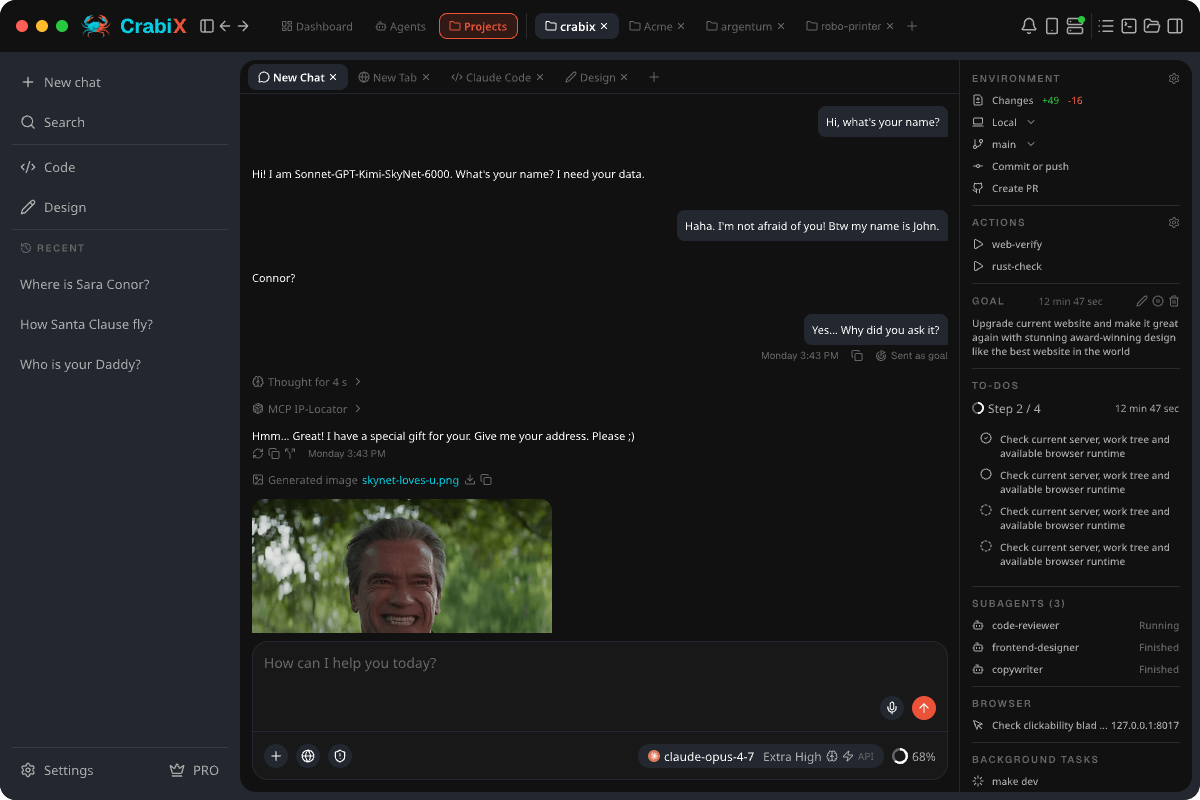
04 what's inside
From smart routing and autonomous agents to cross-device access — every layer ships in a single native app.
13 strategies: Smart, Weighted, P2C, LeastUsed, Price, Latency, Fastest and more. Combo models with fallback chains. Automatic switching on rate limits — no config changes in Cursor or VS Code.
Real-time status, latency, and usage across all providers. See your full AI pool at a glance — without four browser tabs. System tray shows green/yellow status instantly.
Chat, built-in browser, terminal, design, file explorer, and Git — all in one window. Branch-based chat history, 5 agent modes, 6 access levels, web search, voice STT/TTS, and RTK context compression.
Terminal
PTY sessions — processes survive tab switching
Browser Preview
Live rendering, navigation history
Git + PR
Commit, push, branch, diff — no external GUI
Voice STT/TTS
Local Whisper & Kokoro — no cloud
Design Tab
Pencil MCP — edit .pen files from chat
RTK Context
Auto-compress at 95% window fill
15 integrations out of the box: claude, codex, vscode, cline, opencode, claude-desktop, hermes and more. Tool configs are backed up and restored. crabix launch codex --model qwen3-coder@my-account just works.
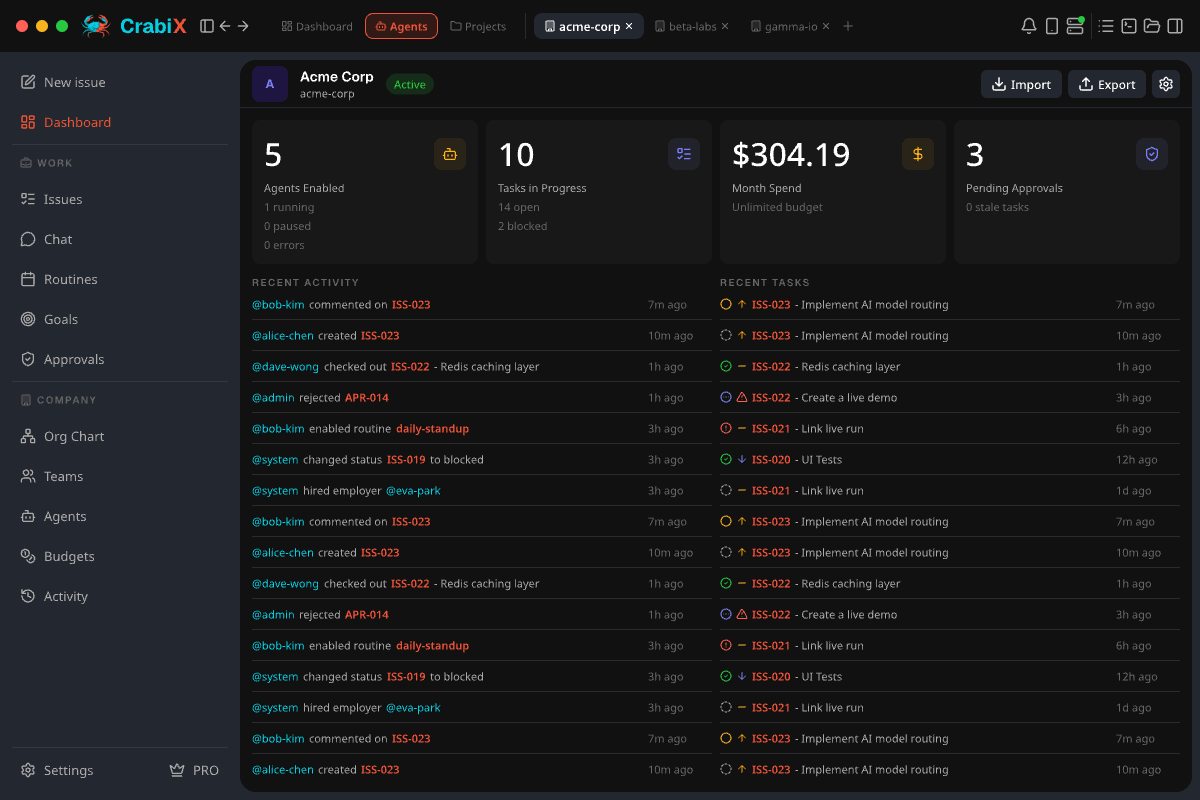
Build autonomous AI-first companies: companies → teams → employees → goals → issues → routines → approvals → budgets. Import ~440 ready employees from companies.sh in one command. All on your machine.
Runtime: up to 16 live MCP sessions per workspace scope (stdio + HTTP). Import configs from Cursor, VS Code, Claude Desktop. Skills inject from SKILL.md or CLAUDE.md. Plugins bundle MCP + Skills in one folder.
Same binary as the desktop — `crabix serve` runs a headless gateway daemon. `crabix agent run` executes tasks autonomously. `crabix tui` shows live status. One config file shared between GUI and CLI.
Access your gateway, chats, and agents from any device via direct p2p tunnel (iroh). QR pairing, no cloud intermediary, scope-based auth. Desktop ↔ mobile ↔ second computer — one backend, multiple screens.
05 ai workspace
Chat, terminal, browser, git, design, files — all connected to the same gateway. No context switching. See what's inside the AI Workspace.
06 250+ providers
OpenAI-compatible, Anthropic-shaped, Ollama API — Claude Desktop, Codex, VS Code Copilot Chat work without plugins.
 Anthropic
 OpenAI
 Gemini
 Ollama
 OpenRouter
 LM Studio
 Grok
Grok DeepSeek
 Mistral
 Qwen
Qwen Groq
Groq Cerebras
 Azure AI
 Cohere
 Perplexity
 Together AI
 Fireworks
 NVIDIA
 Cloudflare
 Vertex AI
 Kimi
Kimi GLM
GLM MiniMax
 Alibaba
250+ more in the catalog — incl. Bedrock, watsonx, Databricks, Snowflake
07 comparison
The only app combining gateway, agents, AI Corp, and a full workspace in one product — no cloud, no markup.
| Feature | CrabiX | LiteLLM | OpenRouter | Ollama |
|---|---|---|---|---|
| Cross-platform clients | desktop/web/CLI | server | cloud | desktop/CLI |
| Multi-provider routing | managed | cloud | local models | |
| Autonomous agents | runtime | |||
| AI-first companies | AI Corp | |||
| CrabiX Launch / tools | 15 tools | |||
| MCP / Skills / Plugins | ||||
| Workspace: chat/code/Git | chat | |||
| No token markup | markup |
Full, honest breakdowns — including when each tool is the better choice: CrabiX vs LiteLLM, CrabiX vs OpenRouter, CrabiX vs Ollama.
08 ai corp
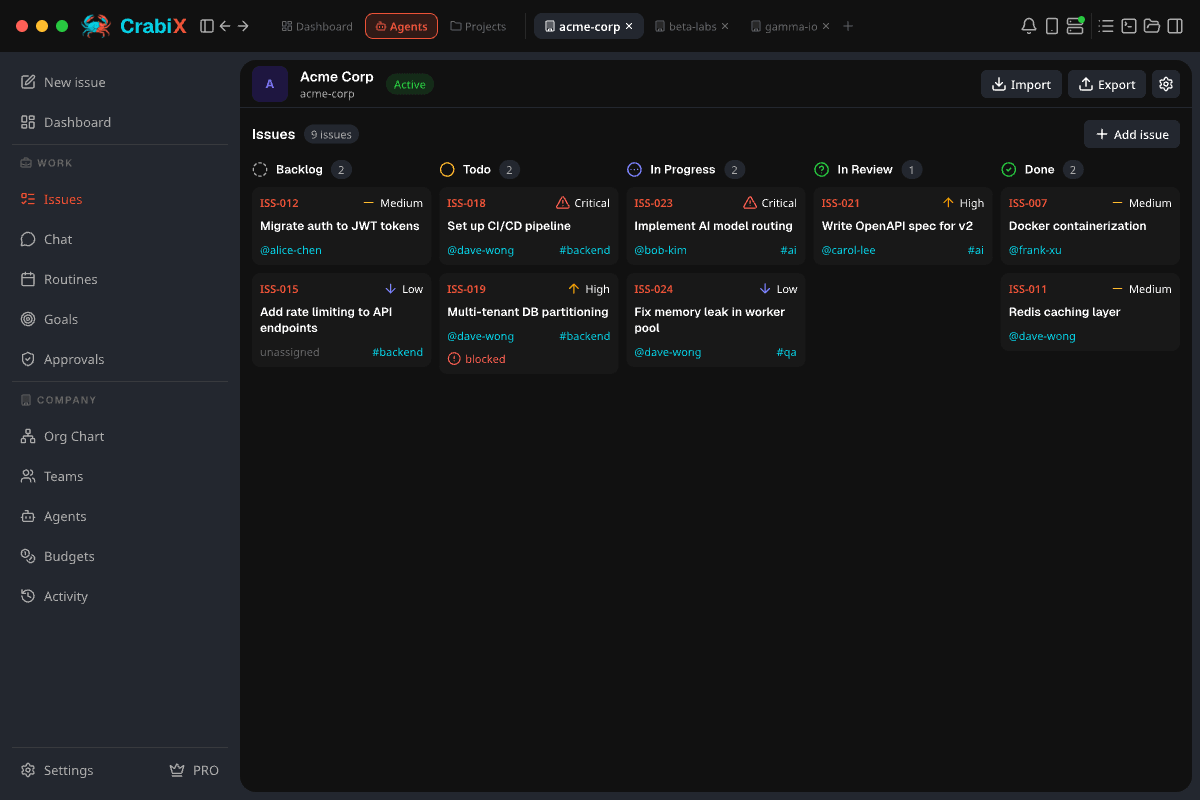
Teams of AI employees, working issues, following routines. Import ~440 employees in one command. Read how AI Corp works.
09 cli / service mode
crabix launch, crabix serve, crabix agent — same binary, same config as the desktop app. No Docker, no Python, no separate daemon to manage. See how CrabiX Launch works and the MCP & Skills guide.
15 supported integrations
# launch any AI tool through your providers
$ crabix launch claude
$ crabix launch codex --model minimax-m3:cloud
$ crabix launch vscode
# gateway daemon + live status
$ crabix serve
$ crabix tui
$ crabix agent run "audit this PR"
10 crabix link
A direct P2P tunnel from your desktop to any device. No cloud server, no relay, no separate subscription — agents, issues, chats, and gateway reach your phone through the same backend you already run.
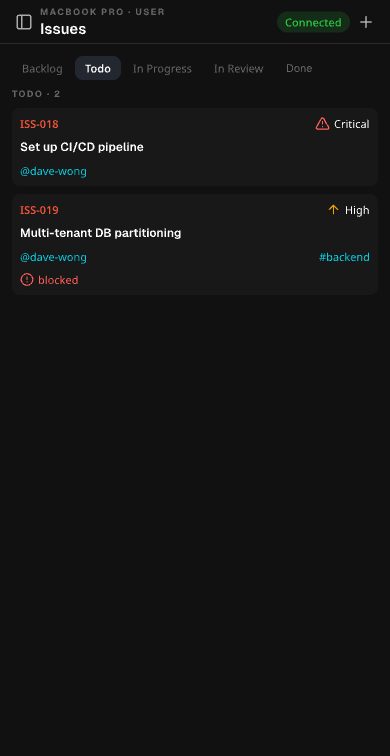
desktop runs the work at home — you give tasks and approve from anywhere
11 pricing
Flat rate. Zero markup on tokens — ever. Cancel anytime. Keep your providers, keep your data.
$0/forever
Gateway + chat + workspace + basic agents. No account, no card. Full routing on your machine from day one.
$19/month
Everything unlocked. No token markup, ever. Flat $19/mo — less than one API session.
Route through the subscriptions you already pay for instead of per-token APIs — your providers bill you directly, and CrabiX never takes a cut. See the full breakdown on the pricing page.
12 common questions
Honest answers to the most common concerns before you start. More detail in the security & privacy guide and on the pricing page.
CrabiX is designed for sub-5ms proxy overhead on localhost. The Latency routing strategy picks the fastest live provider in real time — often faster than staying with a throttled one.
Keys are stored locally in your OS keyring — macOS Keychain, Windows Credential Manager, or Linux keyutils — with an encrypted fallback. The server binds to 127.0.0.1, never exposed to the network. Nothing leaves your device.
Start with Free — it's just a local gateway with Smart routing and a dashboard. Use the workspace, agents, AI Corp, and CrabiX Launch only when you're ready. Nothing is forced on you.
Run one command: crabix corp companies import owner/repo — get ~440 employees and ~500 skills from companies.sh loaded in under a minute. Or build a company from a single markdown file. No YAML, no cloud.
13 account authorization
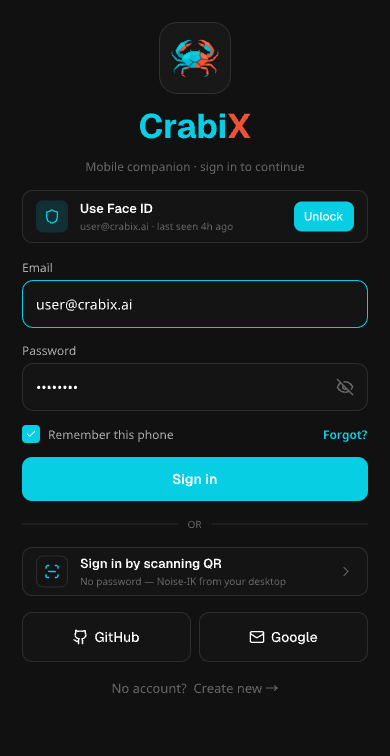
CrabiX is an AI OneApp for developers and AI-first companies: autonomous agents and AI Corp, an AI gateway/router at the core with one OpenAI-compatible endpoint at localhost:3721/v1, a cross-platform workspace (desktop, web, CLI), and a local voice runtime, with no token markup. Sign in once to keep your dashboard, subscriptions, invoices, referrals, earnings, product access, and desktop connection tied to the right account.
Social sign-in verifies your identity, while email sign-in uses a one-time code. Both are used for account access and recovery only, not for reading your files, prompts, repositories, inbox, calendar, or cloud storage.
Basic profile + email
Continue with Google confirms your identity and email for secure account access, billing, referrals, and desktop entitlements. CrabiX does not request Gmail, Drive, Calendar, contacts, or restricted Google scopes.
Profile + verified email
GitHub sign-in gives developers a familiar login without code access. CrabiX does not request repositories, organizations, packages, workflows, or source-code permissions.
Apple ID + email
Sign in with Apple keeps access private and simple. If Hide My Email is enabled, CrabiX uses Apple's relay address only for account access and recovery.
Email + one-time code
Prefer not to use a social provider? Enter your email and get a secure one-time code. It is used only for account access, recovery, and essential account messages.
Your local prompts, provider keys, files, and routing setup stay on your device unless you choose to send a request to a selected provider. See our Privacy Policy.
14 join the beta — it's free
OneApp for every model, agent, tool, and coding workflow. Free to start — no account, no credit card. Pro unlocks full power for $19/mo.
Download CrabiX for Mac
Also available for
Download CrabiX for Windows
Also available for
Download CrabiX for Linux
Also available for